Certain configurations of Regula Document Readers (models 70x4 and 70x4M) require connection to two USB ports on a PC to function correctly. In such cases, you must use the supplied dual-plug USB cable (Y-type) to connect the device:
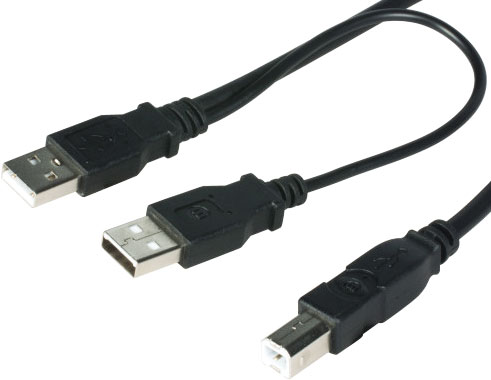
Connecting the reader to only one USB port can lead to various power-related issues, including:
Hardware and software malfunctions;
Device freezes or hangs;
Incorrect or inconsistent scanning results.
If your PC does not have an available USB port to connect the reader, or if you prefer to use a custom USB cable, you must provide additional power to the reader using a power adapter.
We strongly recommend using original power adapters purchased from an authorized Regula representative or dealer to ensure safe and reliable operation.
Comments
Article is closed for comments.